CSL Plasma
- 3.9
- Rating
- 1.00M
- Installs
- Free
- Price
 Analysis by App-foxy
I came away from CSL Plasma with the impression that it is most useful when treated as a practical companion to the donation process rather than as a complete medical resource. The app is aimed at CSL Plasma donors, and its main appeal is convenience: it brings donor-related tasks into one mobile place, helping reduce the need to rely on memory, paper reminders, or repeated visits to a center just to check basic information. I also like that the purpose feels tangible. Using it is connected to a real-world activity that can help save lives, while the reward element gives donors another reason to keep their appointments and stay organized.
CSL Plasma is a free medical app from CSL PLASMA INC. It is available to an Everyone audience and has passed the one-million-install mark, which suggests that it is not a niche experiment but a tool used by a substantial donor community. Its average rating sits at 3.9 from around ten thousand ratings, with roughly three thousand four hundred written reviews. That combination tells me the app is useful for many people, but not universally effortless. In my view, the difference comes down less to the idea behind it and more to how smoothly it handles real-life moments: arriving at a center, checking information on a phone, dealing with a weak connection, and recovering when something does not load as expected.
What the app feels like in everyday donor life
The most natural way to use this app is before, during, and after a plasma donation visit. Before leaving home, I would use it as a preparation point: check the information relevant to the visit, review anything connected with the donor account, and make sure I know what I need before heading out. That is a better workflow than opening several unrelated tools or trying to remember details from a previous visit. The app does not replace a conversation with staff when a health question is personal or urgent, but it can make the administrative side of donating less scattered.
You May Also Like

 Blood Strike: 2.5 Anniversary
Blood Strike’s Loadouts Turn Every Drop Into a Tactical Gamble
A close look at Blood Strike’s custom loadouts: how fast access to signature weapons reshapes its battle royale rhythm, rewards preparation, and narrows the gap between fights.

 Pandora - Music & Podcasts
Pandora’s Music Is Easy to Start, but Harder to Recover
Pandora’s strength is its low-effort path from a seed to a station. Its weak spot is how much confidence it asks you to place in connection, setup, and quiet recovery.

 8 Ball Pool
 Is Built on Rivalries, Rematches, and Routine
A close look at the rivalries, rematches, shared routines, and unanswered safety questions that turn a quick pool match into a persistent mobile community.

 Samsung Music
’s Quiet Strength Is Playing What You Already Own
Its reach comes less from spectacle than from dependable access to a personal library. That simplicity is both the app’s strongest retention engine and its ceiling.

 AccuWeather: Weather Radar
AccuWeather Review: A Quick, Clear Forecast for Everyday Decisions
For everyday plans, the best forecast is the one you can understand quickly. AccuWeather makes rain timing, radar, and local conditions easy to act on, with a few trade-offs.

 Hill Climb Racing
Why Hill Climb Racing Still Turns Crashes Into One More Run
A tiny car, a bumpy hill and one more upgrade: Hill Climb Racing keeps resurfacing because its simple chaos makes every near-miss feel personal.
More From Our News Desk



A realistic scenario is a donor who has a busy afternoon and wants to avoid turning a donation visit into an open-ended errand. The app can be checked while planning the trip, then opened again on the way to the center or while waiting. That small amount of preparation matters. It helps the donor arrive with a clearer idea of what they are doing, rather than discovering at the last moment that they need to confirm something, locate account information, or review a reward-related detail. I would not describe this as a dramatic transformation, but it is exactly the kind of modest convenience that can make a recurring routine easier to maintain.
The reward side also deserves a realistic explanation. Rewards can encourage consistency, but they should not be the only reason someone donates. Plasma donation involves a personal health decision, and the app is not a substitute for judging whether you feel well enough to donate or asking qualified staff about your circumstances. I see the reward information as a planning aid: something that helps you understand the practical benefit attached to your donor activity, not a promise that should override caution.
Where connectivity becomes part of the experience
Because the app is designed around account-related and center-related activity, the quality of the connection can shape how useful it feels at a particular moment. A strong connection makes the experience straightforward: open the app, wait for the relevant information to appear, and continue with the task. A weak signal can make the same action feel uncertain, especially if you are already standing outside a center, moving through a parking area, or trying to use the app in a crowded building.
I would therefore avoid treating the app as something to depend on for every last-minute detail. My preferred habit would be to open it before leaving home, while I have a reliable connection, and review anything I expect to need during the visit. This is one of the more important practical tips for using it: prepare before you travel instead of waiting until the center entrance. It does not assume that every screen will remain available when connectivity changes, and it gives you a better chance of noticing a problem early.
That network dependence is not necessarily a flaw unique to this app. Many account-based medical and service apps need a live connection to retrieve current information. The trade-off is freshness versus independence: live information can be more useful than an old screenshot, but it also means the app may be less comfortable in a dead zone. For donors who usually have dependable mobile data or Wi-Fi, this may be a minor inconvenience. For someone who regularly travels through areas with unreliable coverage, it should be part of the decision.
Using it on the move without making the visit harder
The mobile setting changes how I would use CSL Plasma. This is not an app I would open casually for entertainment. Most sessions are likely to be short and purposeful, which makes clear navigation more important than visual complexity. I would check it at home, in the car before entering the center, or while waiting for the relevant stage of a visit. I would avoid trying to complete anything important while walking, driving, or rushing through a crowded entrance.
One useful habit is to separate planning from confirmation. Planning happens before leaving: I review what I need and make sure the account loads correctly. Confirmation happens when I arrive: I check the current information rather than assuming that an old note or remembered detail is still accurate. This two-step approach reduces the risk of relying on a stale reminder while also limiting the amount of time spent staring at a phone in a busy medical environment.
The app is also better suited to donors who want a recurring routine than to someone who is only curious about plasma donation. If you donate regularly, a dedicated tool can become a familiar checkpoint. If you are still deciding whether donation is right for you, the app may not answer every broader question about the process, eligibility, or your personal health. In that situation, direct guidance from CSL Plasma staff and appropriate medical professionals is more important than the convenience of any phone interface.
Another mobile trade-off is privacy in public spaces. A donor may open the app while waiting with other people nearby, so I would be mindful of what is visible on screen. I would also avoid handing an unlocked phone to someone else just to show a reward or account detail. This is not a criticism of CSL Plasma specifically; it is simply sensible behavior for any medical or account-focused app. The convenience of having information at hand should be balanced with ordinary care around personal details.
What to do when a screen does not load
The most frustrating moment with an app like this is not necessarily a missing feature. It is uncertainty. If a page takes too long to appear, a donor may wonder whether the issue is the network, the phone, the account, or the service itself. My first response would be simple: stop tapping repeatedly, check whether other apps can connect, and try again from a more reliable location. Repeatedly refreshing while standing in a weak-signal area usually creates more stress without solving anything.
A better recovery routine is to prepare a backup for the immediate visit. If the app was working at home, I would remember the key practical details before leaving rather than assuming the center will have perfect coverage. If something important remains unavailable, I would ask CSL Plasma staff for help instead of treating the phone as the final authority. This is especially important when the question concerns eligibility, health, or whether a donation should proceed. A mobile screen can support the process, but staff remain the right place for situations that require judgment.
Keeping the app current is another sensible step. The current version is 3.46.0, and using a reasonably up-to-date release can reduce avoidable compatibility problems. I would also restart the app after a failed loading attempt rather than assuming that the first error reflects my account. These are ordinary troubleshooting steps, but they matter more when the app is being used at a specific time and place instead of browsed at leisure.
There is a useful distinction between a temporary loading problem and a genuine account issue. If only one screen fails while the rest of the app works, I would treat it as a local or network problem first. If the same issue continues after changing connections and reopening the app, I would stop experimenting and contact the appropriate CSL Plasma support channel or ask at the center. That approach avoids wasting time and prevents a technical problem from becoming a reason to abandon a planned donation without first getting clarification.
Using mobile data thoughtfully
For most people, the app is unlikely to be a heavy everyday data habit because its purpose is focused and sessions should be task-based. Even so, I would use Wi-Fi for initial setup or updates when convenient, especially if my mobile plan is limited. The more important data-conscious practice is not constant monitoring; it is choosing the right moment to open the app. Checking the app once at home and once near the visit is more sensible than repeatedly refreshing it throughout the day.
I would also avoid switching between mobile data and Wi-Fi in the middle of an important action unless the connection is clearly failing. A change in network can interrupt a page or leave the user unsure whether an action completed. Waiting for the screen to finish, then confirming the result, is a small but valuable discipline. It is particularly helpful when the app is being used for information connected with a scheduled visit or reward activity.
People who are especially careful about privacy may prefer to use a trusted personal connection rather than public Wi-Fi. A donor center, café, or waiting room may offer convenient internet access, but convenience should not automatically outweigh caution when an app involves medical and account-related information. I would rather use my own mobile connection or wait until I am back on a trusted network than sign in casually on an unfamiliar hotspot.
Battery use is another mobile consideration, although the best solution is simple. Open the app with enough battery for the journey, keep the phone accessible, and avoid relying on it as the only way to manage the visit. A low battery combined with poor reception can make any connected app feel unreliable. The practical lesson is to treat the phone as a useful tool within the donation routine, not as the entire routine.
How it compares with ordinary alternatives
The usual alternatives are not necessarily competing apps. They are memory, calendar notes, paper reminders, browser visits, and asking staff in person. CSL Plasma has an advantage over those methods because it brings donor-focused information into a dedicated place. A calendar can remind me that I have a visit, but it cannot serve as the same kind of donor account companion. A paper note can preserve a detail, but it may be outdated or easy to lose. Asking staff is valuable for personal questions, yet it is less convenient for routine account checks.
At the same time, those alternatives can be more dependable in certain situations. A calendar reminder does not require a connection once it is saved. A written note can be read when a phone is out of battery. Staff can explain a situation that an app cannot interpret. This is why I would use CSL Plasma alongside, rather than instead of, a simple personal reminder system. The app is strongest for current, donor-specific convenience; a calendar or note is stronger as a basic backup.
The comparison also depends on what the user expects from a medical app. Someone looking for broad health education, symptom guidance, or a general wellness tracker should choose a tool designed for those purposes. CSL Plasma is more focused. Its value comes from supporting the relationship between a donor and CSL Plasma, not from trying to become a general medical reference. That focus is a strength for regular donors and a limitation for anyone expecting a wide health-management platform.
Who will benefit most from it
I would recommend CSL Plasma most readily to people who already donate through CSL Plasma and want a more organized way to handle the donor side of their routine. It is particularly helpful for users who prefer checking information on a phone, who appreciate reward visibility, or who dislike keeping track of several small details manually. The fact that it is free removes one common barrier, and the Everyone age classification makes it broadly approachable as an app, even though donation decisions themselves still depend on individual circumstances and center guidance.
It is also a good fit for donors whose schedules change often. A dedicated app is easier to consult than a collection of screenshots or old messages, and a quick check before leaving can prevent unnecessary confusion. I would be more cautious about recommending it to someone with unreliable connectivity, an older device that struggles with current apps, or a strong preference for handling every part of the process face to face. Those users may still find it useful, but they should keep a backup plan and avoid making the app their only source of information.
The developer, CSL PLASMA INC., has made a focused tool rather than a broad lifestyle product. That focus is exactly why I would not recommend installing it simply because it belongs to the medical category. It makes sense when CSL Plasma is part of your real life. If it is not, there is little reason to expect the app to offer meaningful value beyond general curiosity.
My verdict on staying connected
After looking at how it fits into real donor routines, I see CSL Plasma as a useful convenience app with a clear audience. Its best moments happen when the connection is available, the user has prepared before traveling, and the task is specific: checking donor-related information, organizing a visit, or reviewing reward details. Its weaker moments appear when a donor waits until the last second, enters an area with poor reception, or expects the app to answer a question that really needs staff or medical judgment.
The rating of 3.9 feels consistent with that balanced picture. The app is established and widely used, but a connected account tool can never be judged only by its feature list. Reliability at the exact moment of need, clarity during recovery, and confidence around personal information all shape the experience. I would not promise that every session will be frictionless. I would say that the app can remove enough routine effort to be worthwhile for the people it is actually built for.
My practical recommendation is to install it if you are a CSL Plasma donor, use a trusted connection for important checks, open it before leaving for the center, and keep a simple backup reminder for essential timing. If the app fails during a visit, do not guess about health or eligibility; ask CSL Plasma staff. Used with those expectations, it becomes a sensible part of the donation routine rather than a source of unnecessary dependence.
Overall, CSL Plasma succeeds because it connects a mobile tool with a meaningful recurring activity. I would choose it over scattered notes or repeated browser searches when I needed donor-focused convenience, while still keeping staff guidance and basic offline reminders in the picture. For an existing CSL Plasma donor, that balance makes it worth trying. For everyone else, the app is simply too specialized to justify using it as a general medical companion.
FAQs for CSL Plasma
01What is CSL Plasma and what does it do?
CSL Plasma is an app designed to assist plasma donors by providing them with essential information and tools. It helps users find donation centers, manage appointments, track donation history, and receive updates about promotions and rewards. The app aims to streamline the donation process for regular and new donors alike.
02Is the CSL Plasma app available for both Android and iOS devices?
Yes, the CSL Plasma app is available for download on both Android and iOS platforms. Users can find it on the Google Play Store for Android devices and the Apple App Store for iOS devices, ensuring accessibility for a wide range of smartphone users.
03How does CSL Plasma ensure the security of my personal information?
CSL Plasma takes user privacy seriously by implementing robust security measures. The app uses encryption to protect sensitive data such as personal information and donation history. Additionally, it adheres to industry standards and regulations to ensure that user information is kept confidential and secure.
04Are there any rewards or incentives for using the CSL Plasma app?
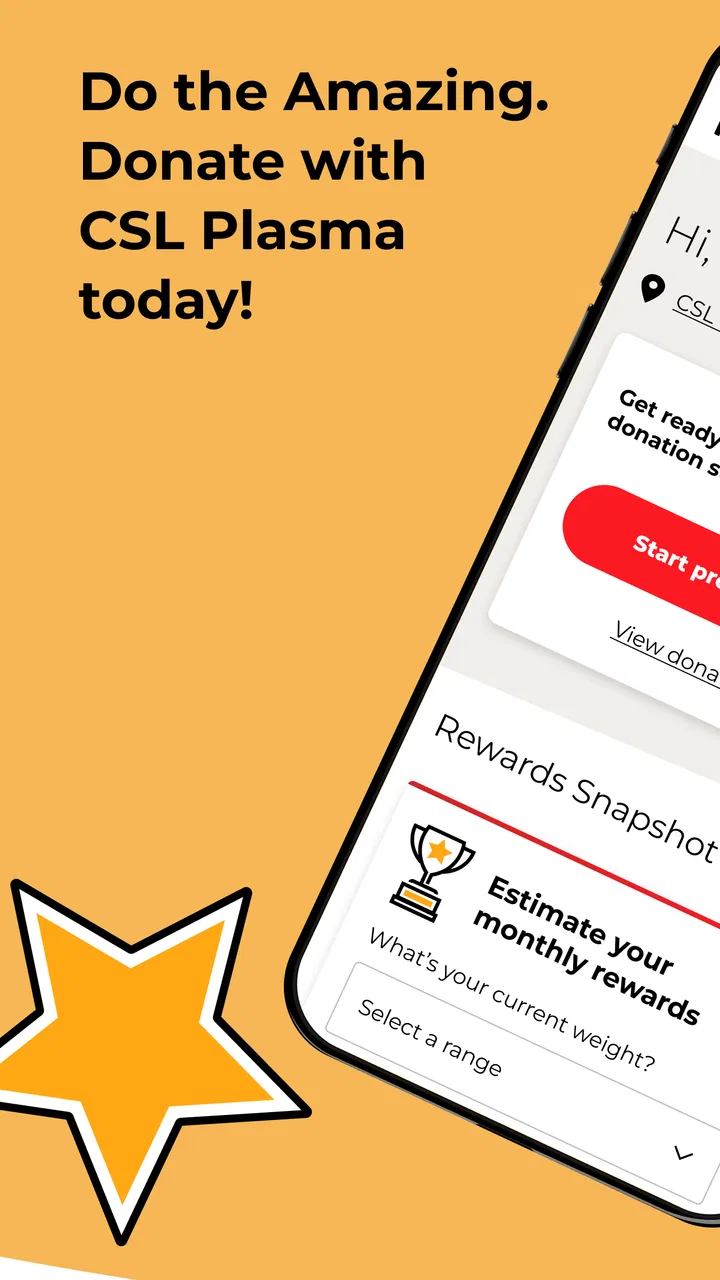
Yes, the CSL Plasma app offers various rewards and incentives for donors. Users can earn points for each donation, which can be redeemed for cash or gift cards. The app also provides information on special promotions and bonuses, encouraging regular donations and increasing user engagement.
05What features does the CSL Plasma app offer to enhance the donation experience?
The CSL Plasma app offers several features to enhance the donation experience, including appointment scheduling, center locator, and real-time wait times. Users can also access their donation history, receive notifications about upcoming appointments, and view educational materials about plasma donation. These features aim to make the donation process convenient and informative.
Pros
- User-friendly interface for easy navigation.
- Quick access to donation history and rewards.
- Efficient appointment scheduling feature.
- Real-time updates on donation status.
- Comprehensive donor eligibility information.
Cons
- Limited features without internet connection.
- Occasional glitches in appointment booking.
- No dark mode for night-time use.
- Limited language support options.
- Requires frequent app updates.

CSL Plasma
Gallery